Marathi voice typing on iPhone can start in a browser: open Baani's Marathi page, sign in, record, review and copy. You do not need a Windows installer or a native Baani phone app. Keep Safari open while your recording is processed.
Marathi Voice Typing on iPhone: Speak, Review and Copy
· 2 min read · Baani AI
Choose keyboard dictation or Baani
If your iPhone keyboard already supports the language and task you need, it may be sufficient. Apple says Dictation availability varies by language and region. Follow Apple's current instructions; this guide does not claim Marathi keyboard dictation is available on every device.
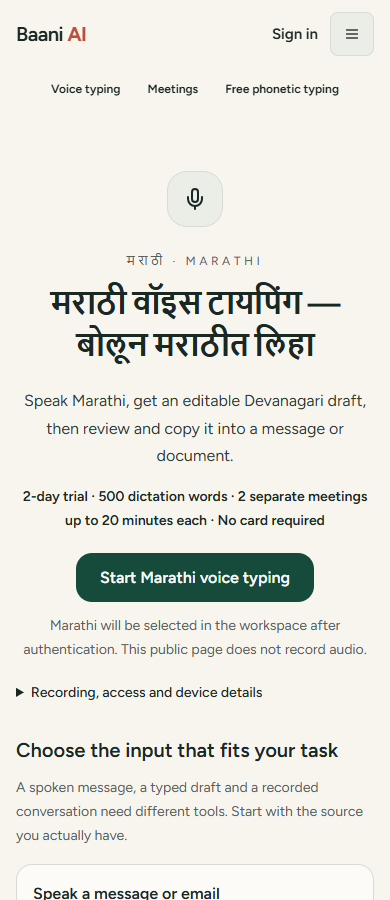
Open Marathi voice typing in Safari
Open Marathi voice typing, then choose its primary action. The destination preserves Marathi through sign-in. Check that Marathi is selected before recording, especially if this browser remembers a different previous language. Start your existing trial when required; do not create another account to reset it.
Allow the microphone and dictate
Tap Baani's recording control yourself and allow the site's microphone prompt. Say a short work note, stop and wait for processing. If the browser cannot start recording, check Safari's site permissions and any operating-system restrictions. A managed phone may require administrator help.
Review Devanagari and English terms
Read the transcript for names, amounts, matras and English words in a Marathi sentence. Choose an available output option deliberately; native script, Roman output and translation are different tasks. Use the established examples on the Marathi page as illustrations, not promised output or measured accuracy evidence.
Paste into WhatsApp or Notes
Tap Copy after reviewing. Switch to the intended app, paste into the correct conversation or note and check again before sending. Baani does not provide desktop-style global insertion into other iPhone applications. The general iPhone guide explains the keyboard/browser distinction.
If recording is interrupted
Return to the same tab and use any available recording retry or draft recovery before starting over. Do not clear Safari data while trying to retrieve local history. Export important text. The trial includes 500 dictation words over two days and two separate 20-minute meetings. Compare access or open Marathi-selected dictation.
Speak one message. Review it. Use it.
Sign in and speak a short sentence. The 2-day trial includes 500 dictation words, separate from its meeting allowance.
Review the result before sending it. Your existing trial or paid plan limits apply.
Which offer fits this task?
Occasional messages and notes: ₹99 for 5,000 dictation words. No expiry; repeat purchases allowed. Excludes meetings and advanced formatting.
Regular dictation starts at ₹199 for 30 days. Pro and Ultra add advanced formatting. Compare subscriptions.
Pay by UPI, submit the transaction ID and wait for manual verification before access is activated. A pending submission is not paid access.